首页Home›动态Updates›照片攒了那么久,做成一张植物海报吧Turn a year of plant photos into a poster
一株植物养上一年,照片会攒下不少:刚到家那天、新叶展开的那周、第一次换盆、某个冬天的干瘪和春天的回神。它们大多躺在相册里,单看都好看,放在一起才看得出变化。
花序 inflora 现在可以把它们做成海报了。在植物详情的照片流里进入多选,底栏就会出现「成长海报」和「对比海报」:前者把多张照片按拍摄时间排成一张竖版长图,后者把两张照片排成一张前后对比。
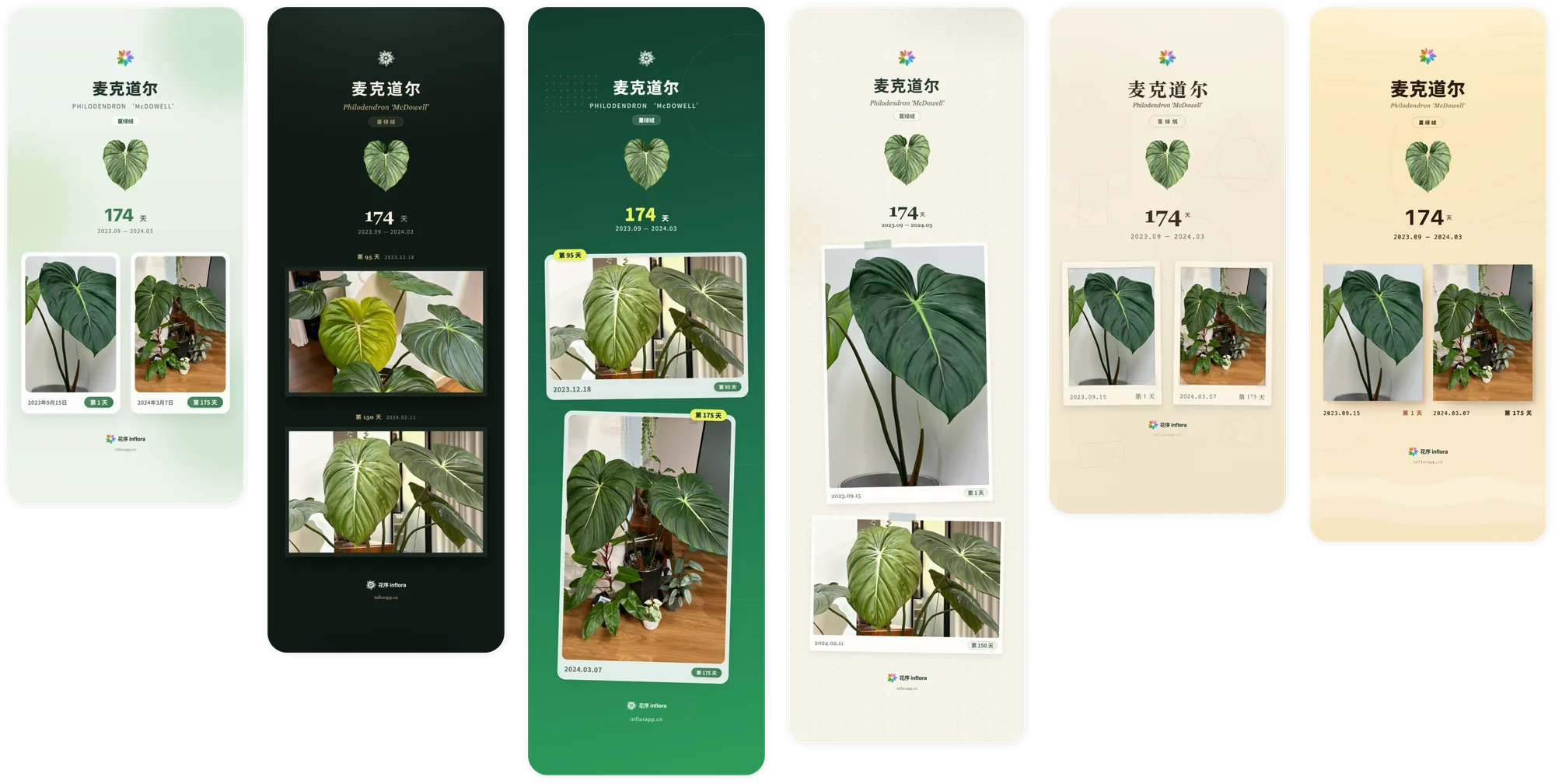
六种风格,从左到右:清新生长、暗夜画廊、活力总结、植物手账、荒漠光影、植物标本。同样的麦克道尔(蔓绿绒)、同样的 174 天,换一种风格,读起来的心情也不一样。
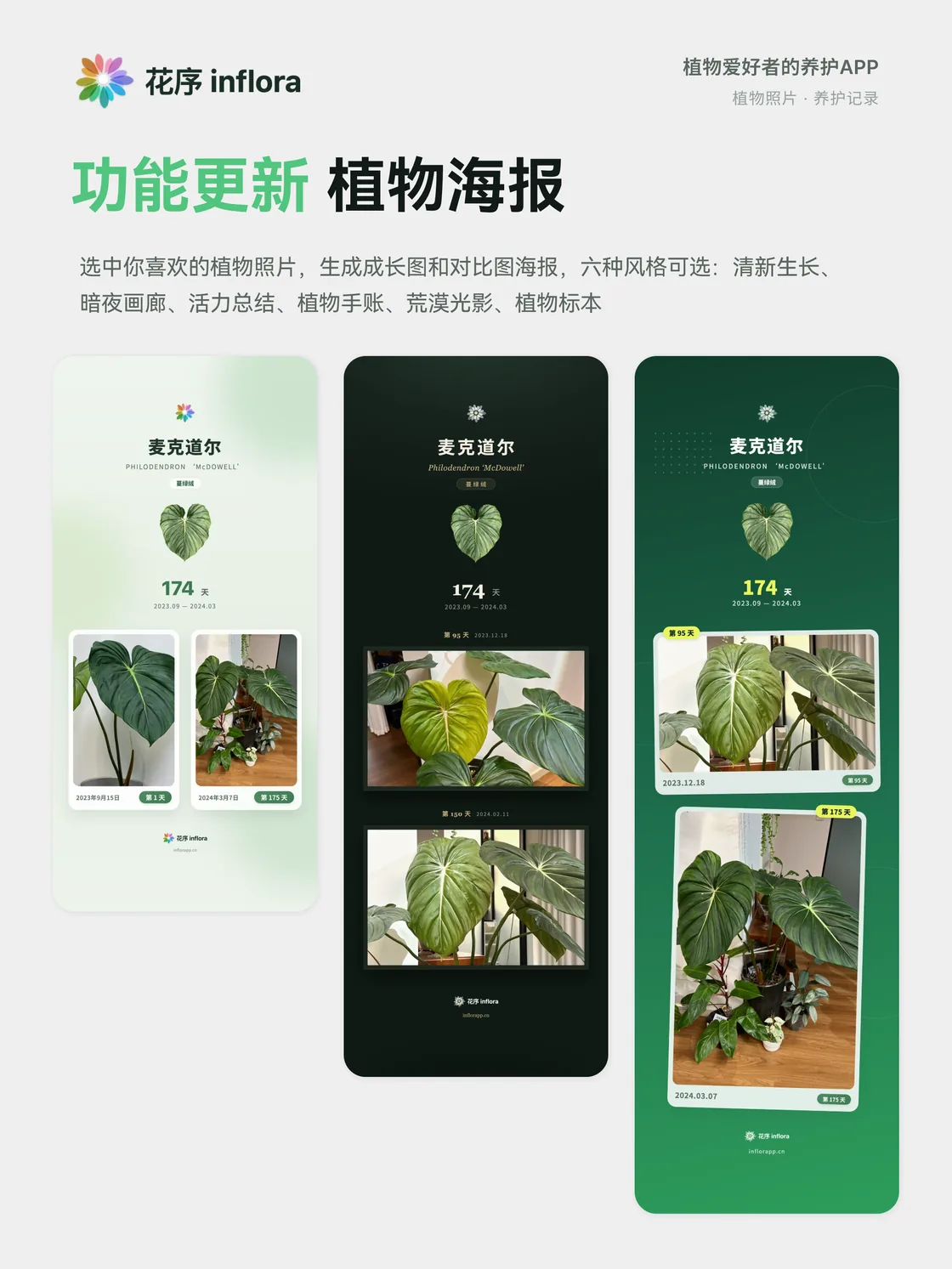
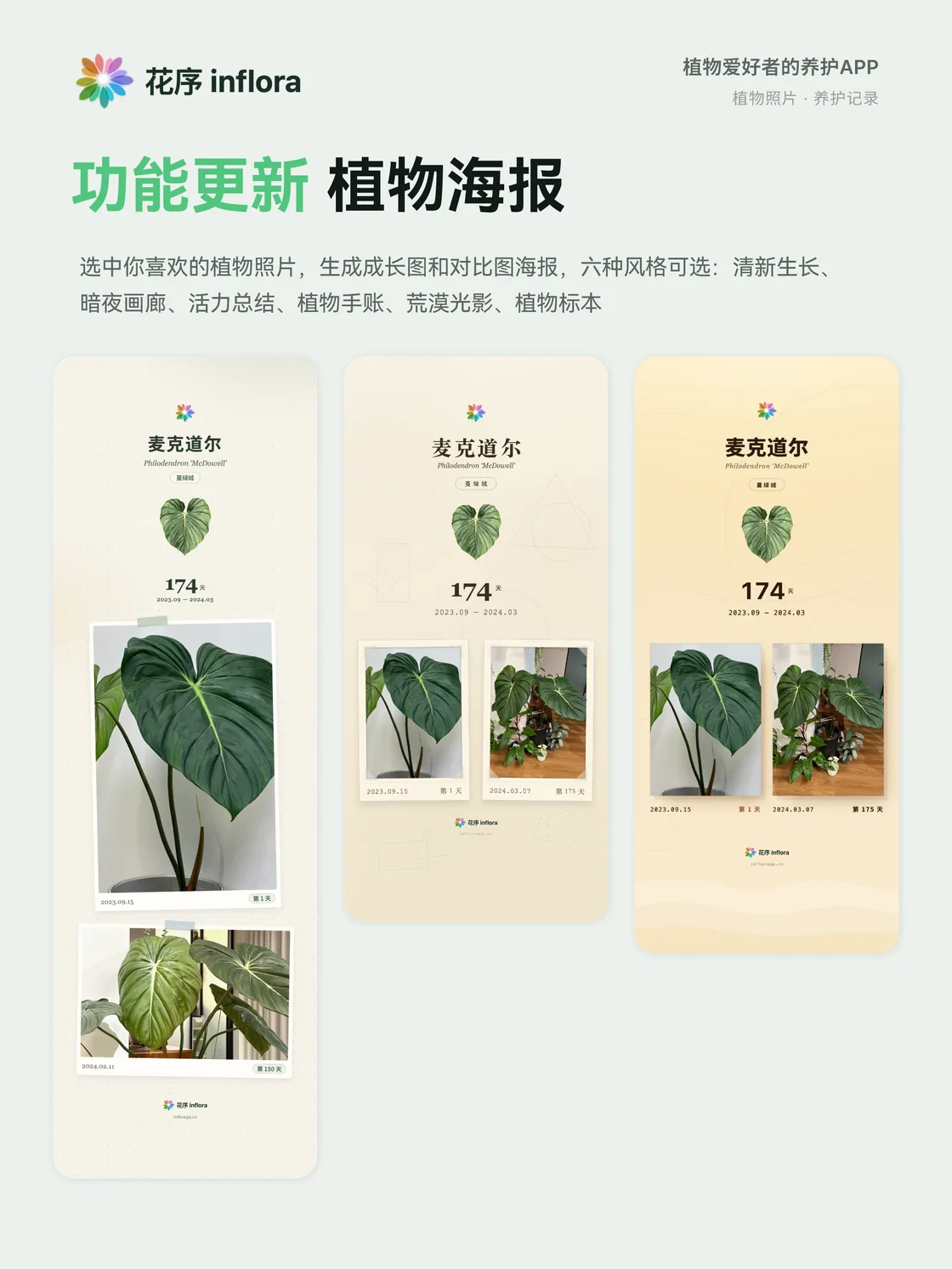

每一种风格都可以点开看大图预览,再决定用哪个;选好了,点底部的生成按钮就行。清新生长和暗夜画廊基础版就能用,其余四种在高级版里。
选 3 到 30 张同一株植物的照片,按拍摄时间从旧到新排下来,就是一张竖版长图。每张照片都标着拍摄日期和第几天,顶部是株名、分类和跨度天数;图尾还有一行小字,写着这株植物一共有多少张照片、浇过多少次水。天数都是自动算的,不用自己数。
只想看前后变化的话,选恰好 2 张就好。对比海报会把它们排进同一张图——并排,或者上下叠放——每张照片标着日期和第几天,两张相隔多少天,就是顶部那个大数字。
生成好的海报可以存进系统相册,也可以直接分享:微信聊天、朋友圈、小红书,系统分享面板里有什么就能发什么。导出的是高清图,放大了看细节也够。
一年一年放在一起看,才知道这株植物长得有多快。下一次翻相册,不如先做一张海报。
A plant kept for a year leaves a lot of photos behind: the day it arrived, the week the first leaf unfurled, the first repot, a dry winter and a spring that came back. Most of them sit in the camera roll — each one lovely on its own, and only together do they show how far it has come.
inflora can now turn them into a poster. Select photos in a plant's photo stream and the bottom bar offers Growth and Compare: the first lays several photos out in shooting order on one tall sheet, the second sets two photos into a single before-and-after frame.
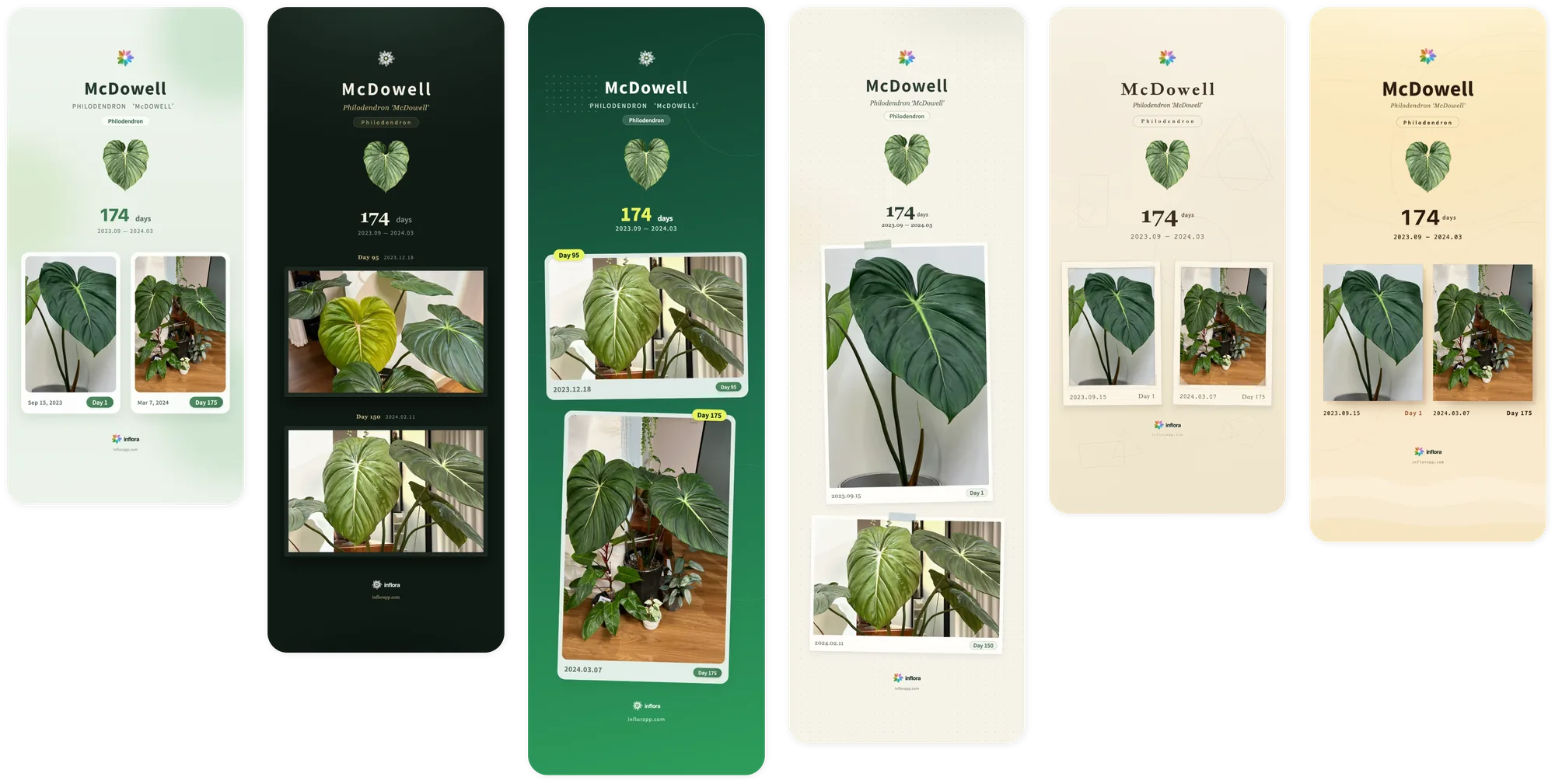
Six styles, left to right: Fresh Growth, Night Gallery, Vitality Recap, Plant Journal, Desert Light, Herbarium. The same Philodendron 'McDowell', the same 174 days — a different mood in every one.
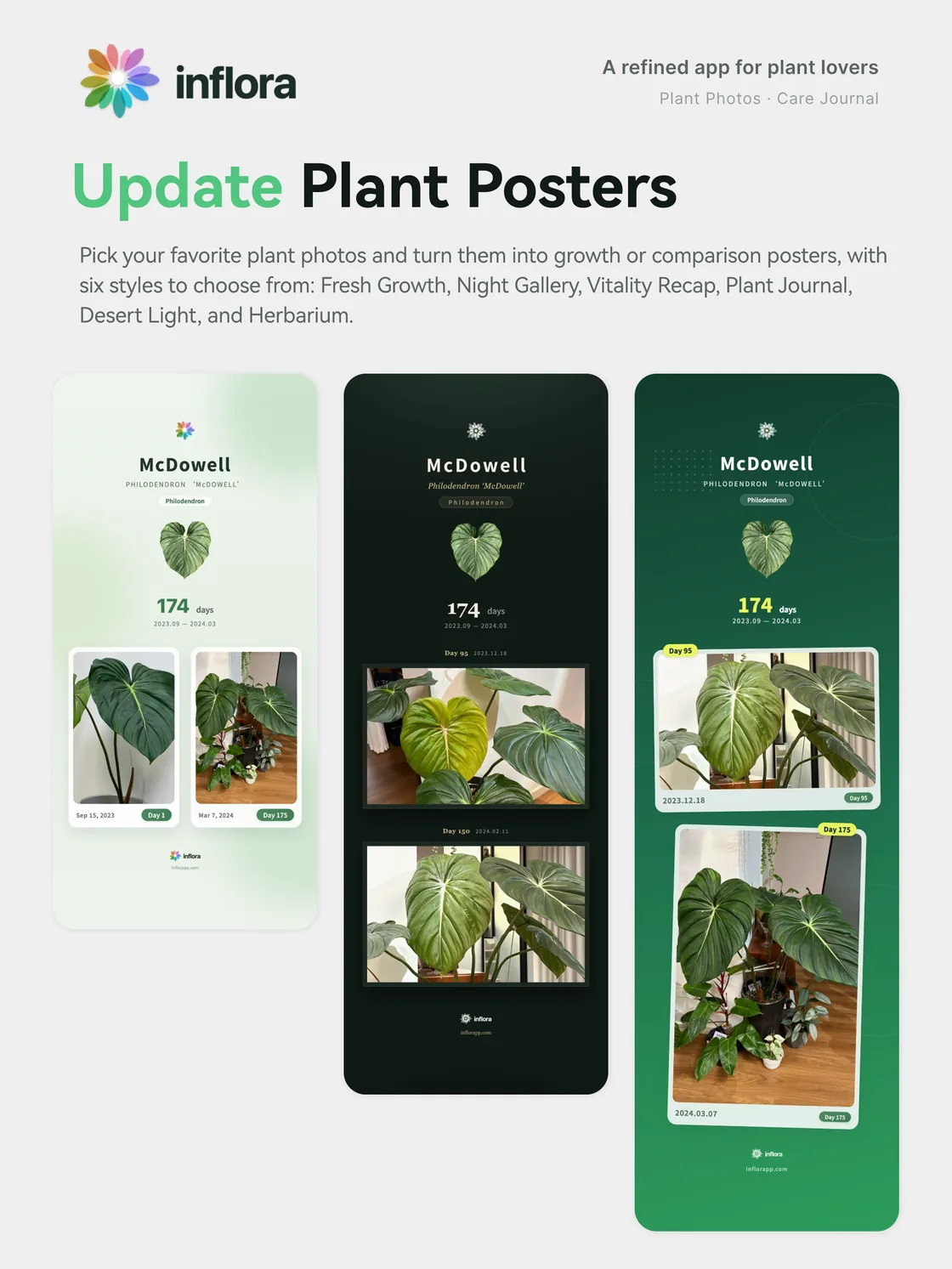
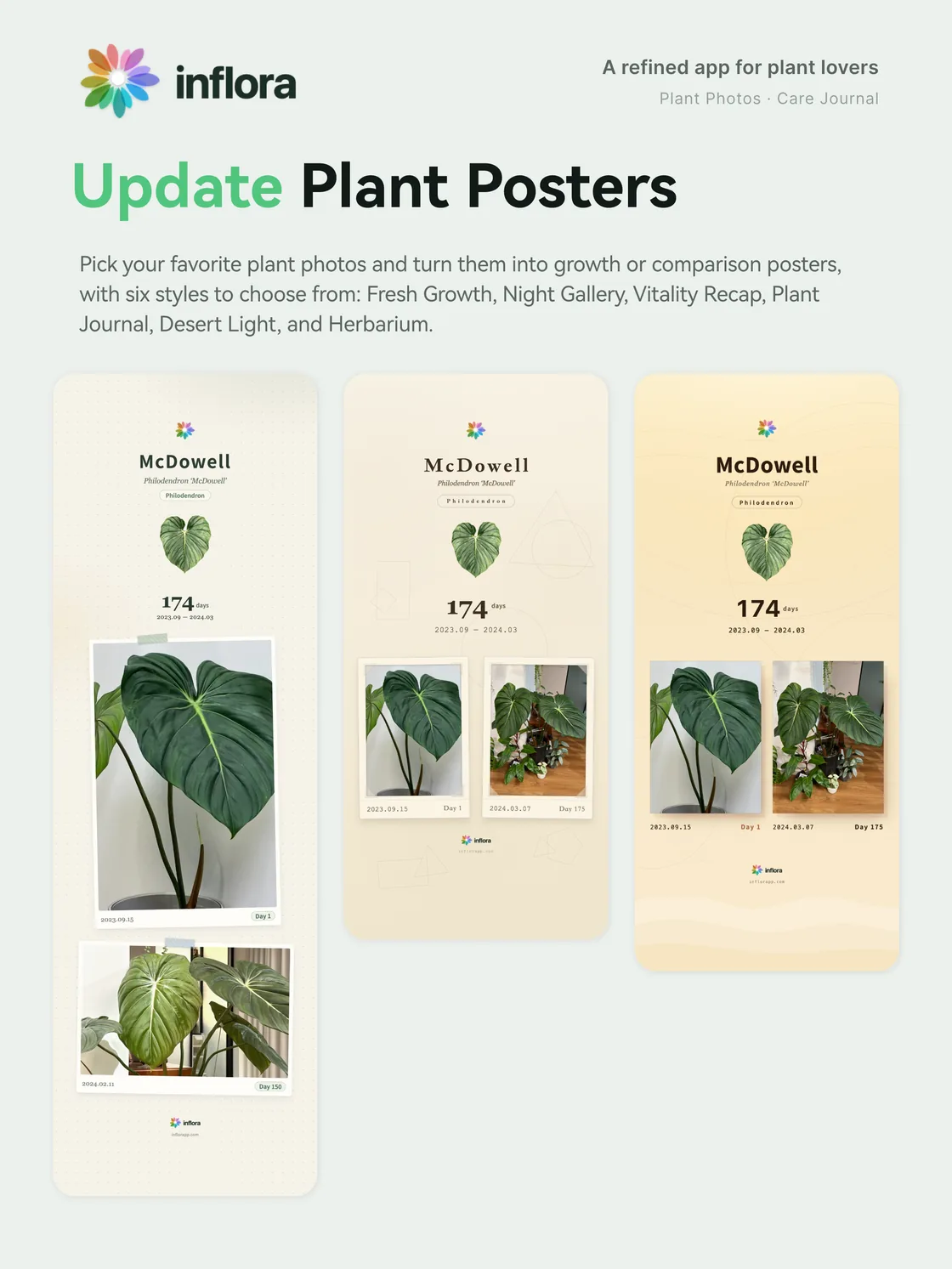
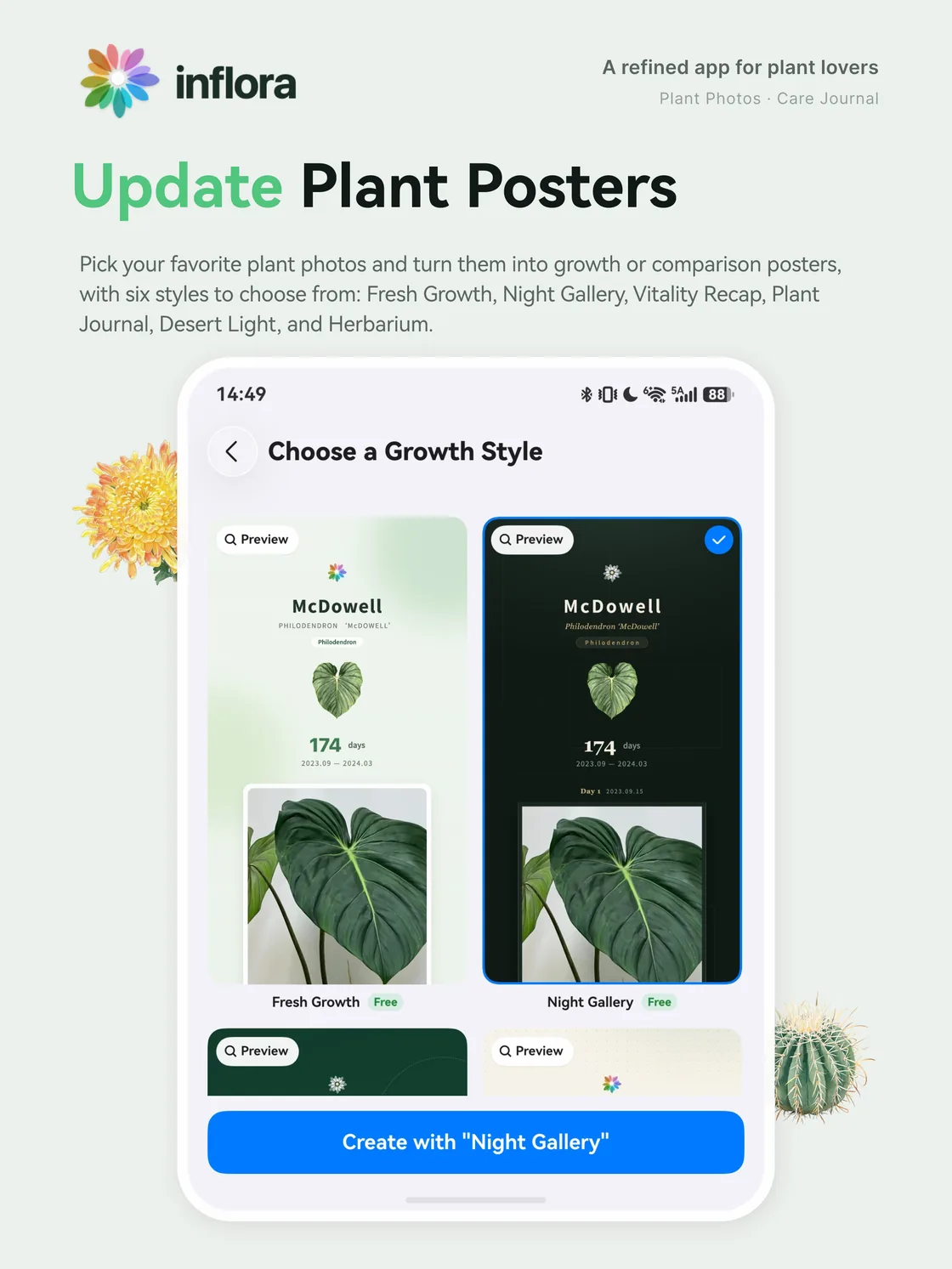
Every style opens into a full-screen preview before you commit; pick one, then tap Create at the bottom. Fresh Growth and Night Gallery are available in the basic version; the other four come with premium.
Pick 3 to 30 photos of the same plant and they are laid out oldest to newest on a tall poster. Each photo carries its own date and day number; the header holds the plant's name, category and total span, and a small line at the foot counts the photos and the waterings. The day numbers are worked out for you.
If what you want is the before-and-after, pick exactly 2. Compare sets them on a single sheet — side by side, or stacked when both are tall — with each photo's date and day number, and the gap between them set as the big number at the top.
A finished poster can go straight into your photo library, or out through the system share sheet — a WeChat chat, Moments, Xiaohongshu, whatever you have installed. Exports are high resolution, so the details hold up.
Put a year of photos side by side, and you see how fast a plant has grown. Next time you scroll the camera roll, make a poster first.